HelloDIAL – Your Dialer and Call CRM
Welcome HelloDIAL!
Welcome to HelloDIAL - your Dialer and Tele-calling CRM to accelerate sales and grow your business. Transform the way you make calls to your leads, prospects and customers with HelloDIAL! Designed specifically for sales professionals, call center associates and small business owners, HelloDIAL enhances your calling experience, ensures you capture every important detail after the call and helps you to close more deals.
HelloDIAL is the perfect companion app for HelloLeads CRM users
HelloDIAL Tele-calling CRM is part of HelloLeads CRM. To use HelloDIAL, you need to download and use HelloLeads CRM.
With HelloDIAL call CRM, you can:
- Make calls to your leads and prospects from the convenience your mobile phone
- Update Call outcome, Call notes, Lead Stage and keep a track of customer journey
- Follow up with hundreds of leads easily and quickly
This guide will walk you through the process of setting up and using HelloDIAL in conjunction with HelloLeads CRM. With HelloLeads CRM for lead management and HelloDIAL for making and logging calls, you can efficiently manage your leads and customer interactions.
Getting Started with HelloDIAL
To begin using HelloDIAL, follow these steps:
1. Login to HelloDIAL:
- Enter your HelloLeads CRM Email and HelloLeads CRM Password to log into HelloDIAL.
- If you don’t have HelloLeads CRM installed, download and install HelloLeads CRM first. Create an account, and then use those credentials to log in to HelloDIAL.
2. Enable Permissions:
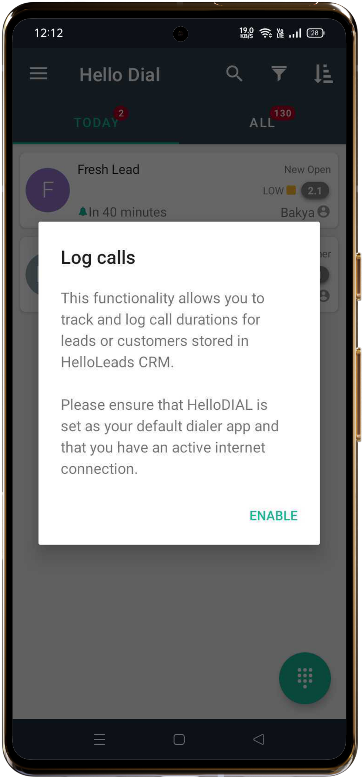
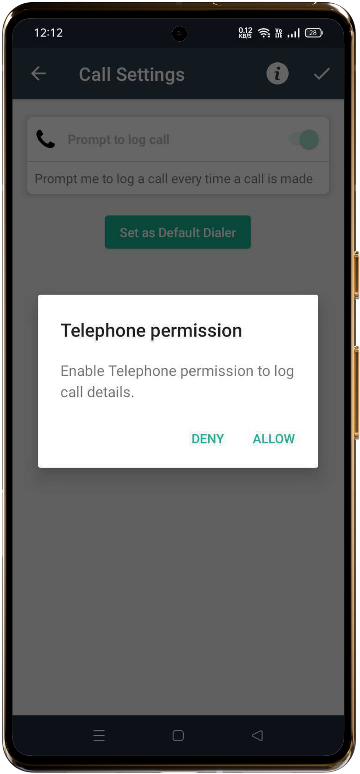
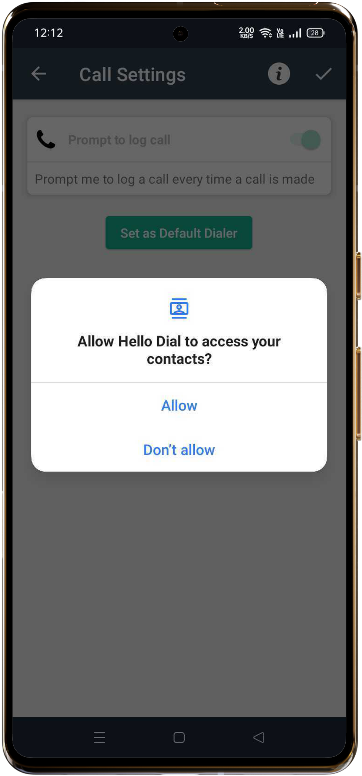
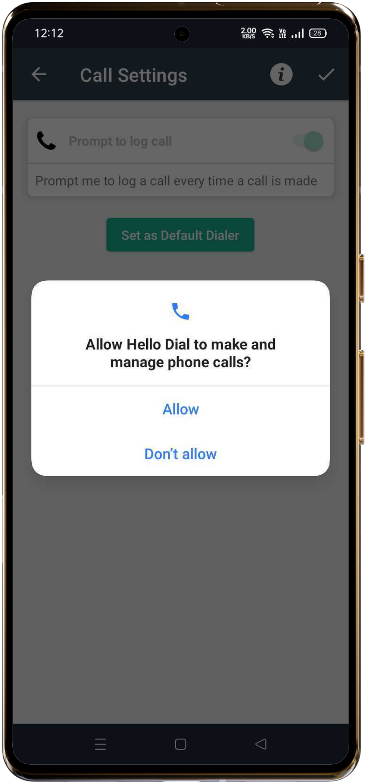
Once logged in, you'll need to enable the necessary permissions for HelloDIAL. These include:
- Contacts (to access your leads and customer information)
- Phone Calls (to log call activities and record call durations)
This will ensure that all calls made through HelloDIAL are logged against the leads and customers stored in HelloLeads CRM.
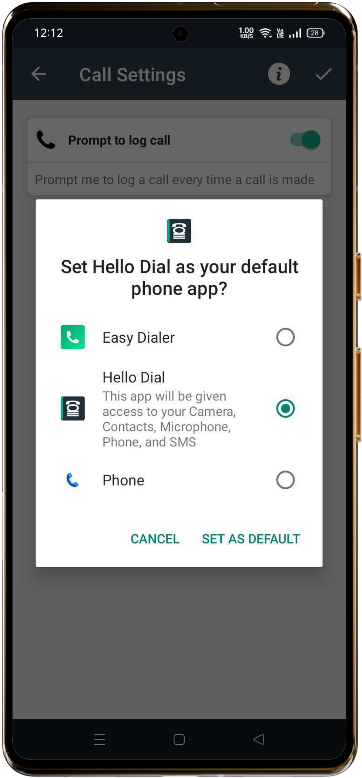
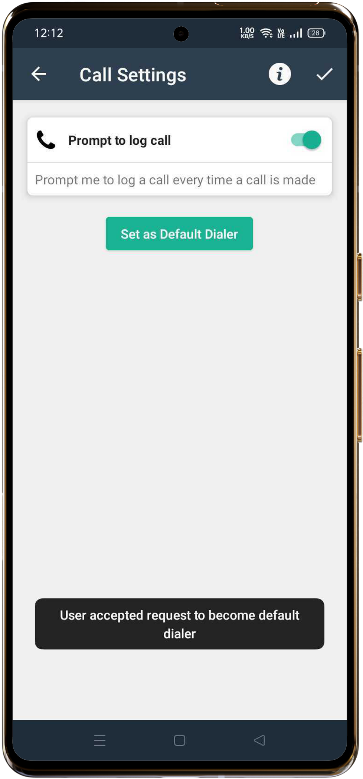
3. Set HelloDIAL as the Default Phone App:
To ensure seamless integration and automatic call logging, set HelloDIAL as your default phone app. This is a mandatory step to log call duration and sync data properly.
4. HelloDIAL Dashboard Overview
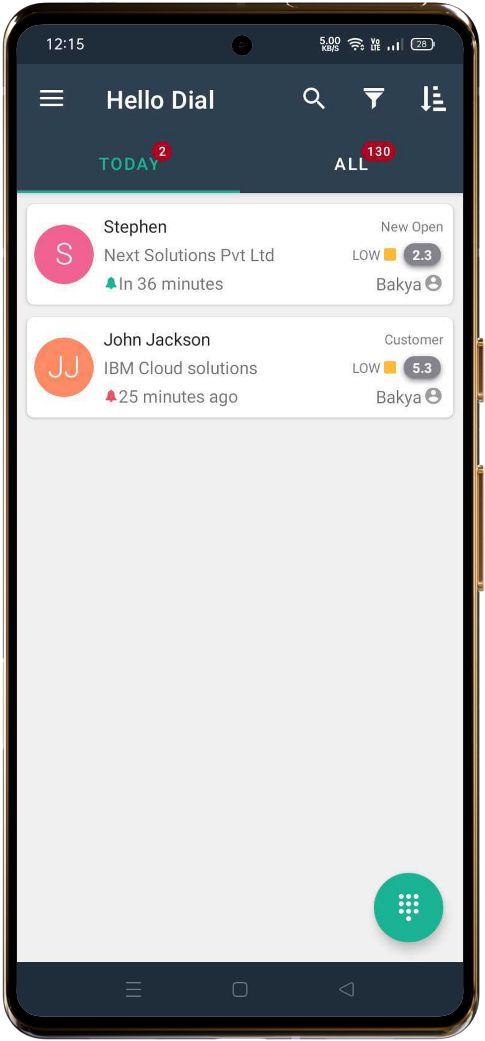
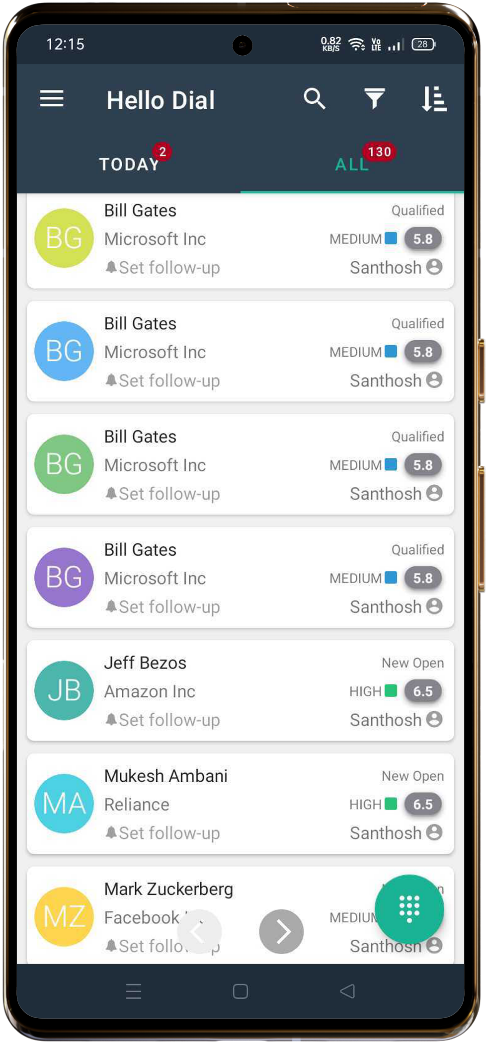
Once you’re logged in, you’ll see two primary tabs in the dashboard:
TODAY:
- Displays all leads that have a follow-up scheduled for today.
ALL:
- Shows a list of all leads, both with and without scheduled follow-ups.
5. How to Make and Log Calls
Make a Call:
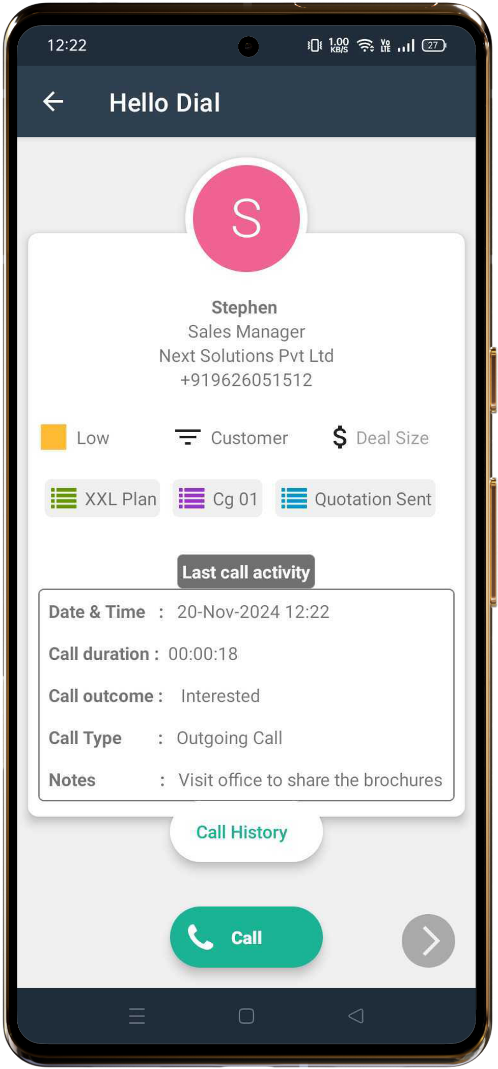
- In the dashboard, click on a lead to view its details.
- Tap the Call button at the bottom of the screen to make a call.
Log Call Outcome and Notes:
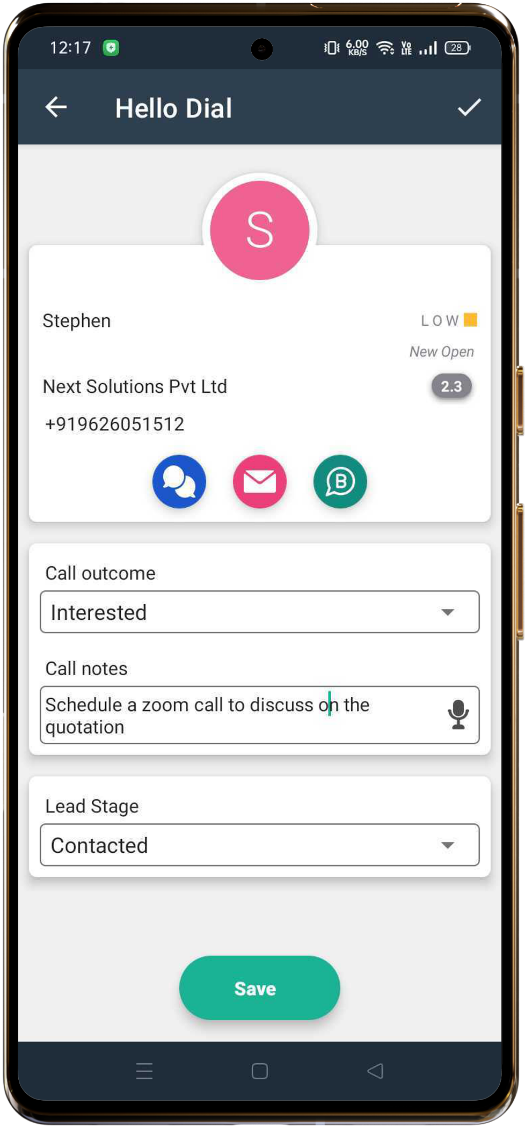
After the call ends, a full-screen window will appear with options to:
- Enter Call Outcome (e.g., Contacted, Interested, Contact again later, etc.)
- Enter Call Notes (for logging additional details about the call, which will help when following up with the lead in the future)
- Update Lead Stage, to keep track of lead’s journey
After entering the details, click SAVE or tap the tick icon to save your entries.
View Call History:
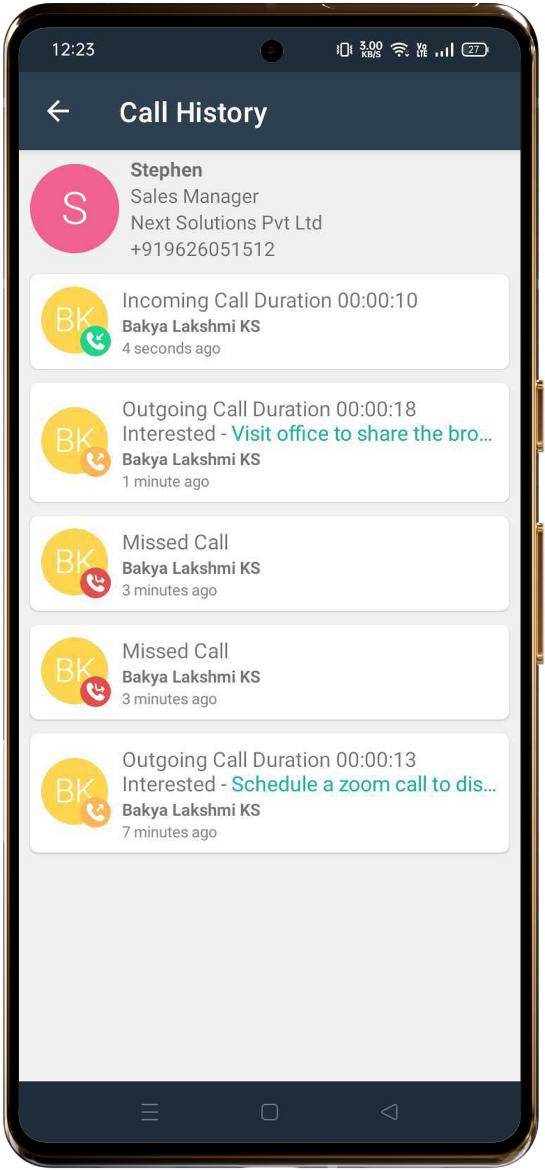
- To view the call history for a specific lead, click on the lead’s name and then tap on the Call History button.
- Here, you’ll see a list of all incoming and outgoing calls made to that lead.
Navigate Through Leads:
- Use the left and right arrows at the bottom of the screen to easily switch between leads.
Using Search, Filter, and Sort Options
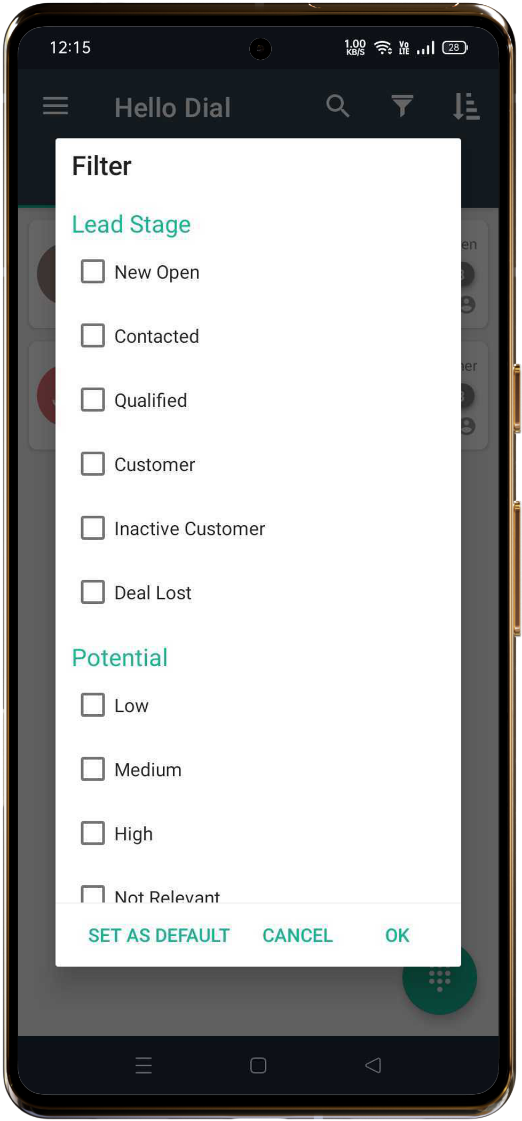
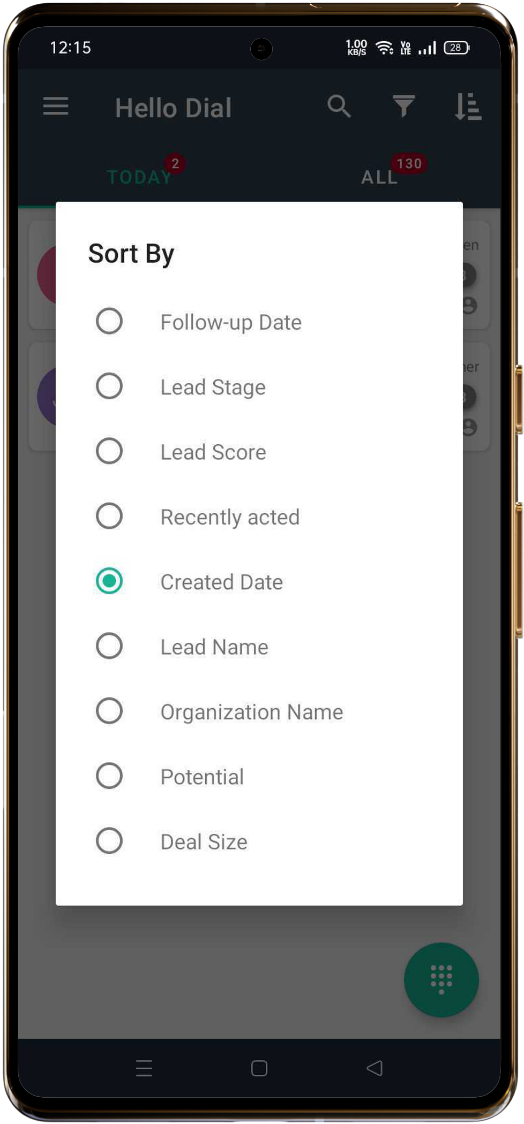
To quickly find the leads you need or organize them in a way that makes business sense for you, HelloDIAL offers several options in the Dashboard header:
- Search: Search for leads by name, organization, or other details.
- Filter: Filter leads based on Lead Stage (e.g., New, Contacted, Negotiation) and Potential (e.g., High, Medium, Low)
- Sort: Sort leads by various criteria including Lead Stage, Lead Name, Organisation name and many more
6. Syncing Lead Data
If you notice any delays in syncing lead data, you can manually sync it:
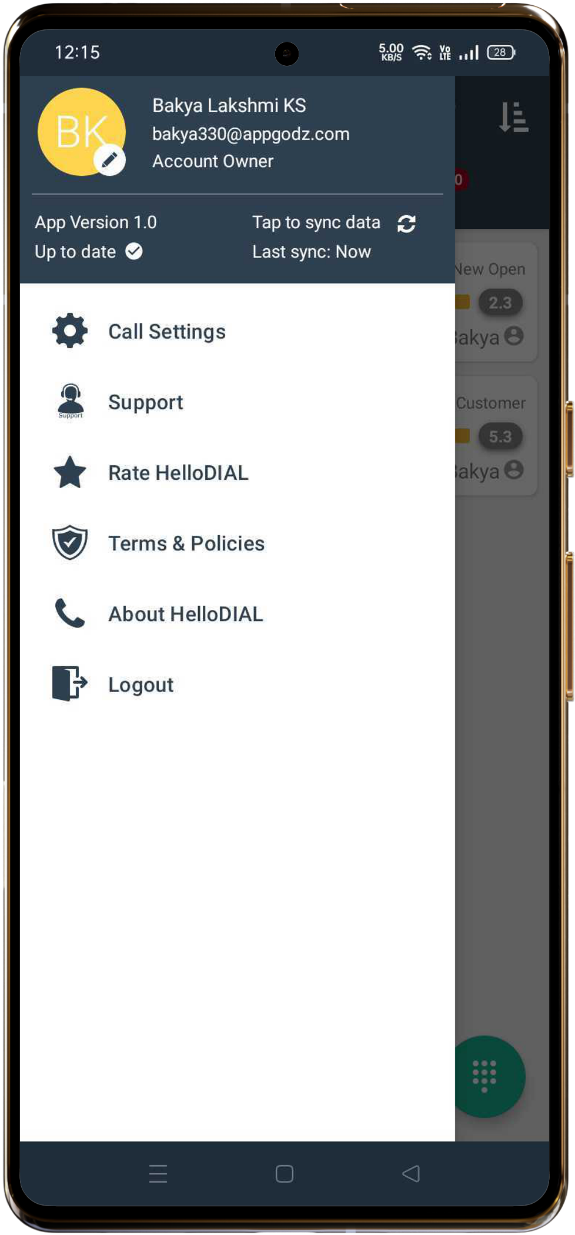
Tap to Sync:
- In the Menu, you’ll see the option Tap to sync data. Click on this to refresh and sync the lead data with HelloLeads CRM.
7. Data syncing between HelloDIAL and HelloLeads CRM
- The Call Outcome and Call Notes entered in HelloDIAL will automatically sync to the corresponding lead’s Recent Activity section in HelloLeads CRM.
- This ensures that all interactions, including the most recent calls, are up-to-date and available for review by your team.
Conclusion
HelloDIAL seamlessly integrates with HelloLeads CRM, allowing you to manage leads and calls efficiently. By following the steps above, you can ensure that your call logs and lead interactions are properly captured, enabling you to provide better follow-ups and close more deals.
If you need further assistance, feel free to reach out to our support team.