How To set up WhatsApp notification when a lead that is automatically added is assigned to you
WhatsApp Notifications for Lead Assignments:
Get instant WhatsApp notifications when leads are assigned. Streamline team communication with real-time updates, ensuring no lead goes unnoticed and boosting response efficiency.
How It Works:
Whenever a new lead or customer data is added and assigned to a user in HelloLeads CRM, the user to whom the lead is assigned will get notified with a WhatsApp message, with all the information they need to take the next step.
How-to-do:
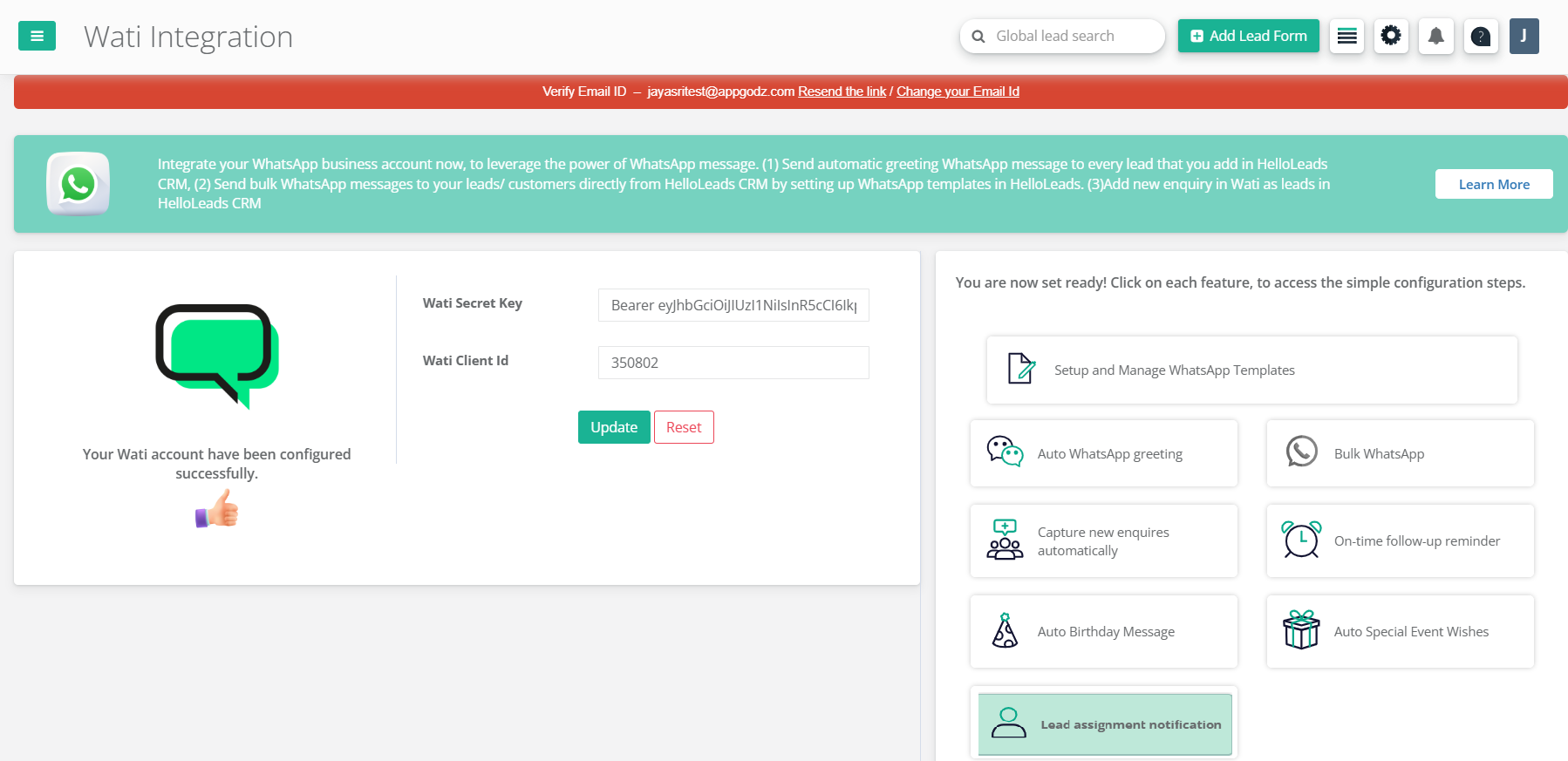
Step 1: Configure your WATI Secret Key and Client ID in the CRM. Create and manage HelloLeads CRM templates in the "Hello-WhatsApp" section within HelloLeads CRM.
Step 2: Click on the 'Lead assignment notification feature in the WATI integration within HelloLeads CRM.
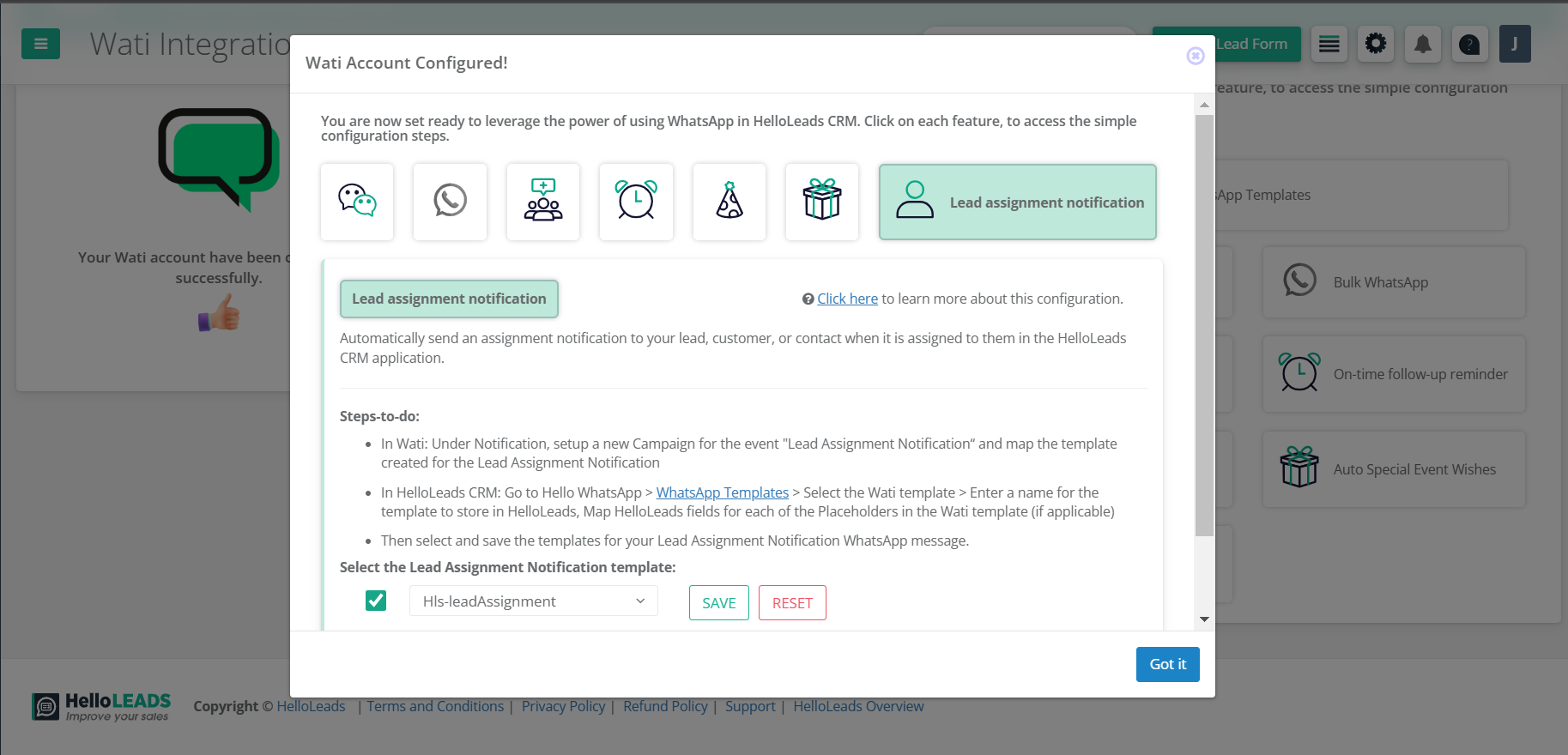
Step 3: Enable the checkbox, select your preferred birthday template, and click Save. WhatsApp notification for lead assignment has been set successfully.
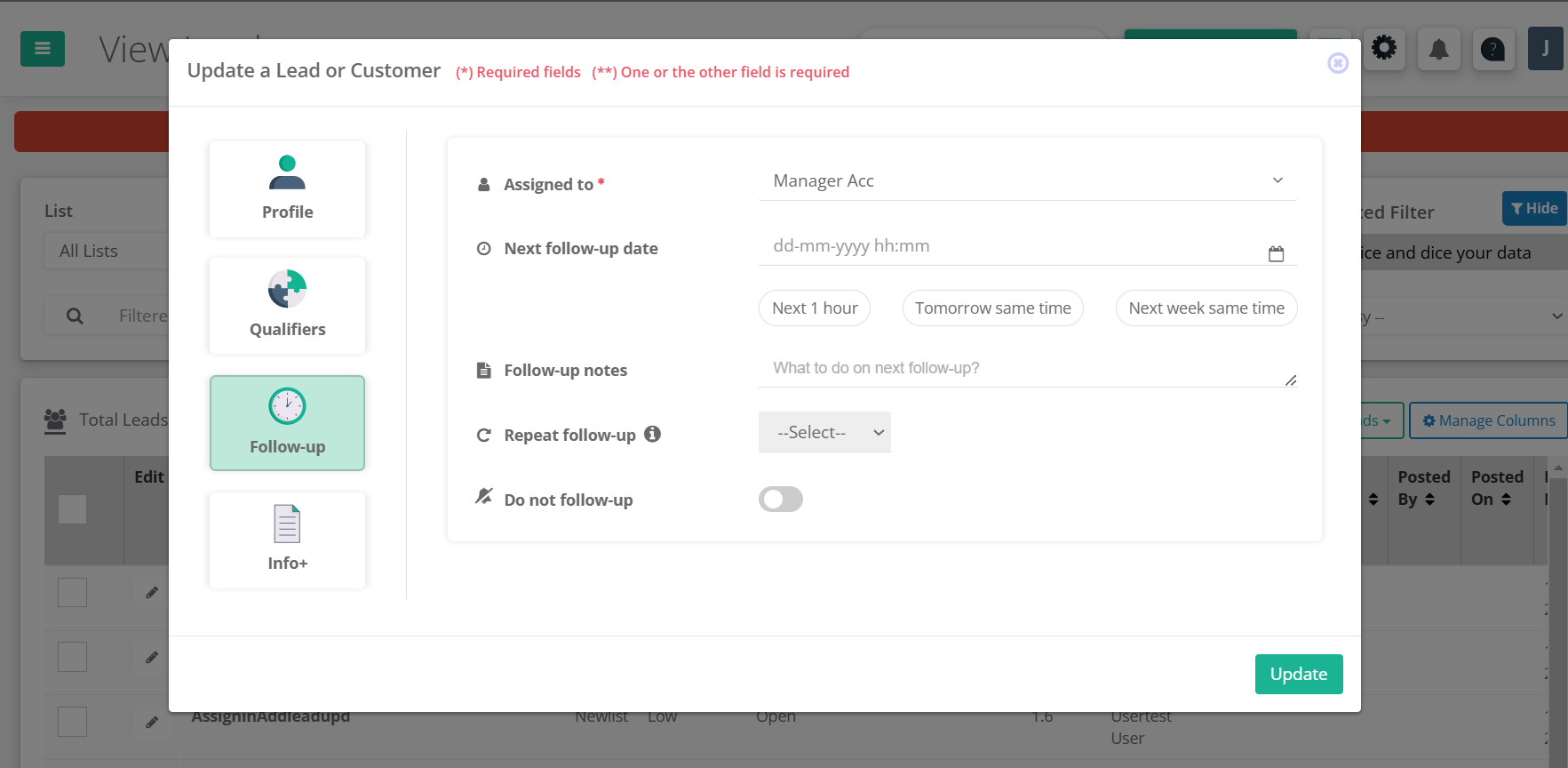
Step 4: Assign a lead or customer to your sales team member, under Follow-up section.
You will now receive a WhatsApp notification for every lead's assigned to you. Receive instant notifications when leads are assigned!