Merge and Delete Duplicate Leads
What is this feature?
The Merge and Delete Duplicate Leads feature in HelloLeads CRM helps you keep your database of leads and customers clean and organized by identifying duplicate records and allowing you to merge them into a single master record. This ensures you have a single, up-to-date of each lead or customer.
Business Advantages
- Improved Data Quality: Eliminate duplicate entries and maintain a single source of truth for every lead
- Better Team Collaboration: Avoid confusion and ensure all team members work with the most accurate information
- Enhanced Follow-up: Prevent missed or repeated follow-ups by consolidating all lead activity under one record
- Accurate Reporting: Get true insights from your reports and analytics by removing duplicate data
- Time Savings: Reduce manual effort spent on searching, updating, or cleaning up duplicate leads
How to Access the Feature
- Login to your HelloLeads Web App: https://app.helloleads.io/index.php
/app/account/login - Navigate to any one of the following sections:
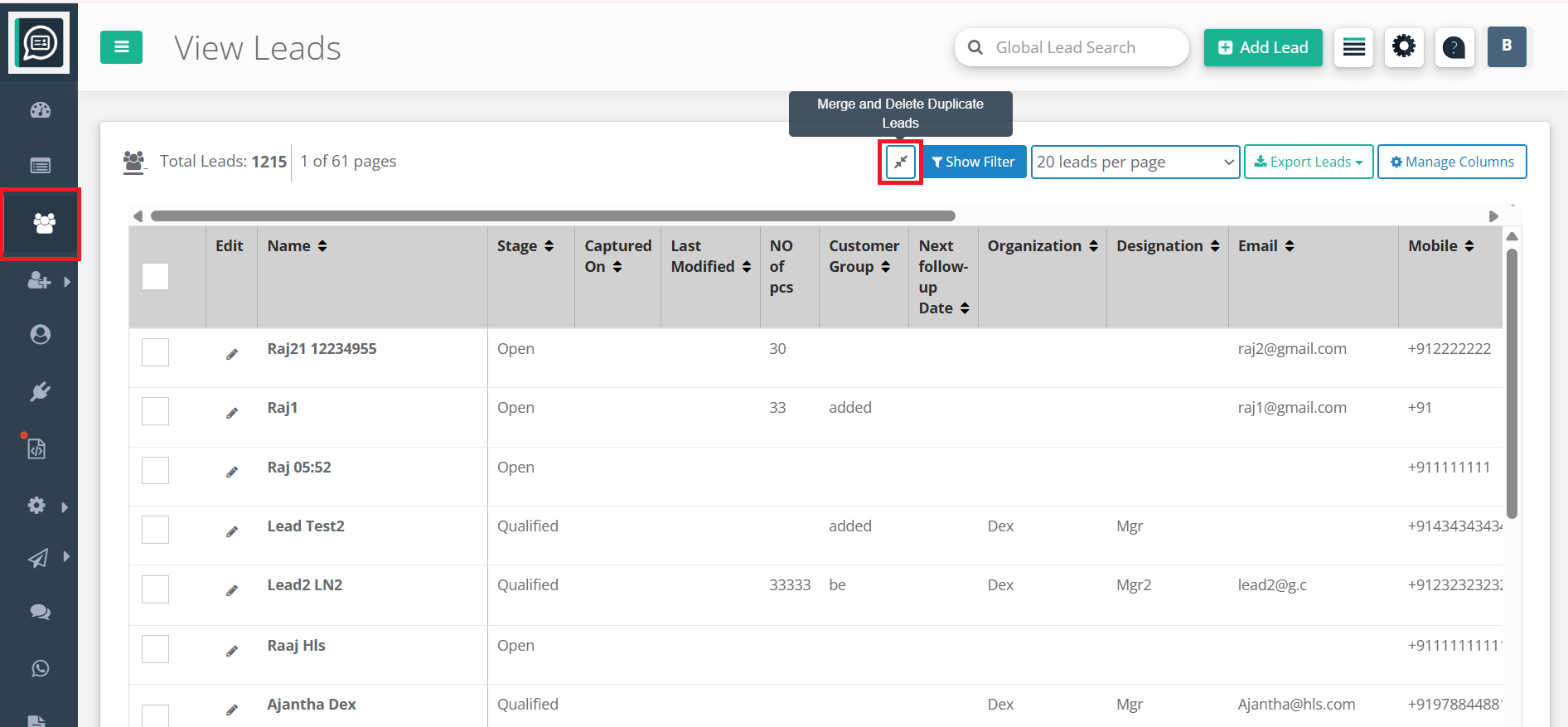
- View Leads
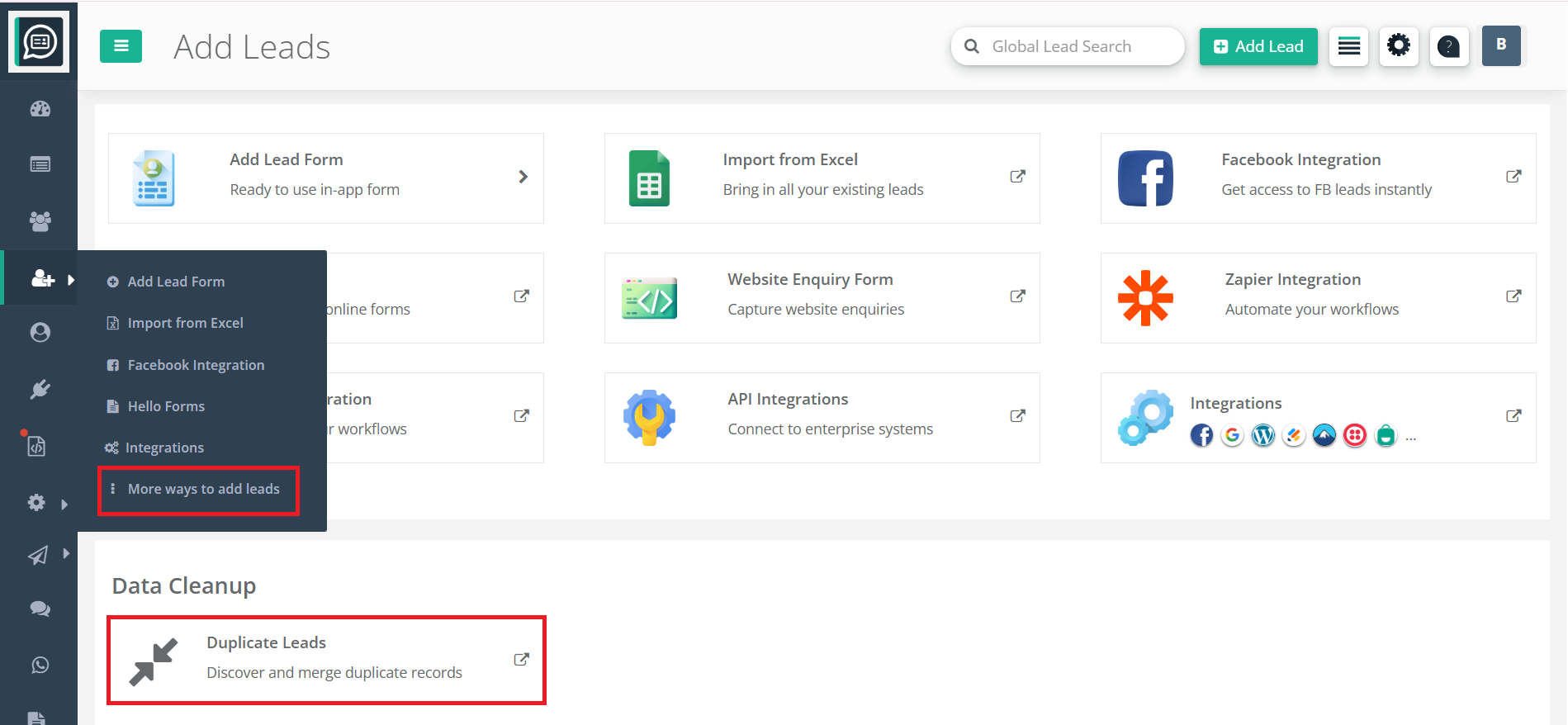
- More ways to Add Leads
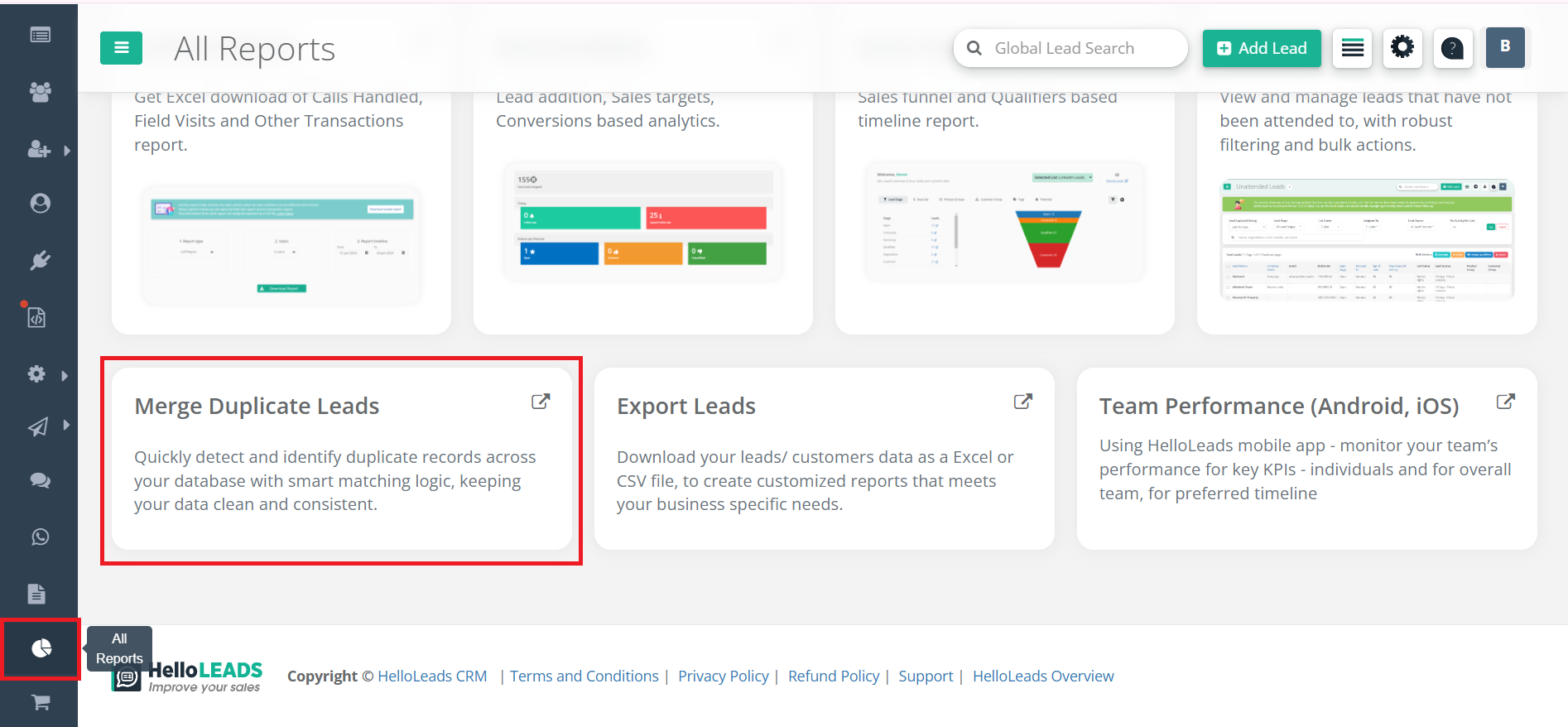
- All Reports
- Look for the Merge Duplicate Leads option or icon in the menu or page actions.
Steps to Merge and Delete Duplicate Leads
Step 1: Go to the Merge Duplicate Leads page from the navigation menu or relevant section
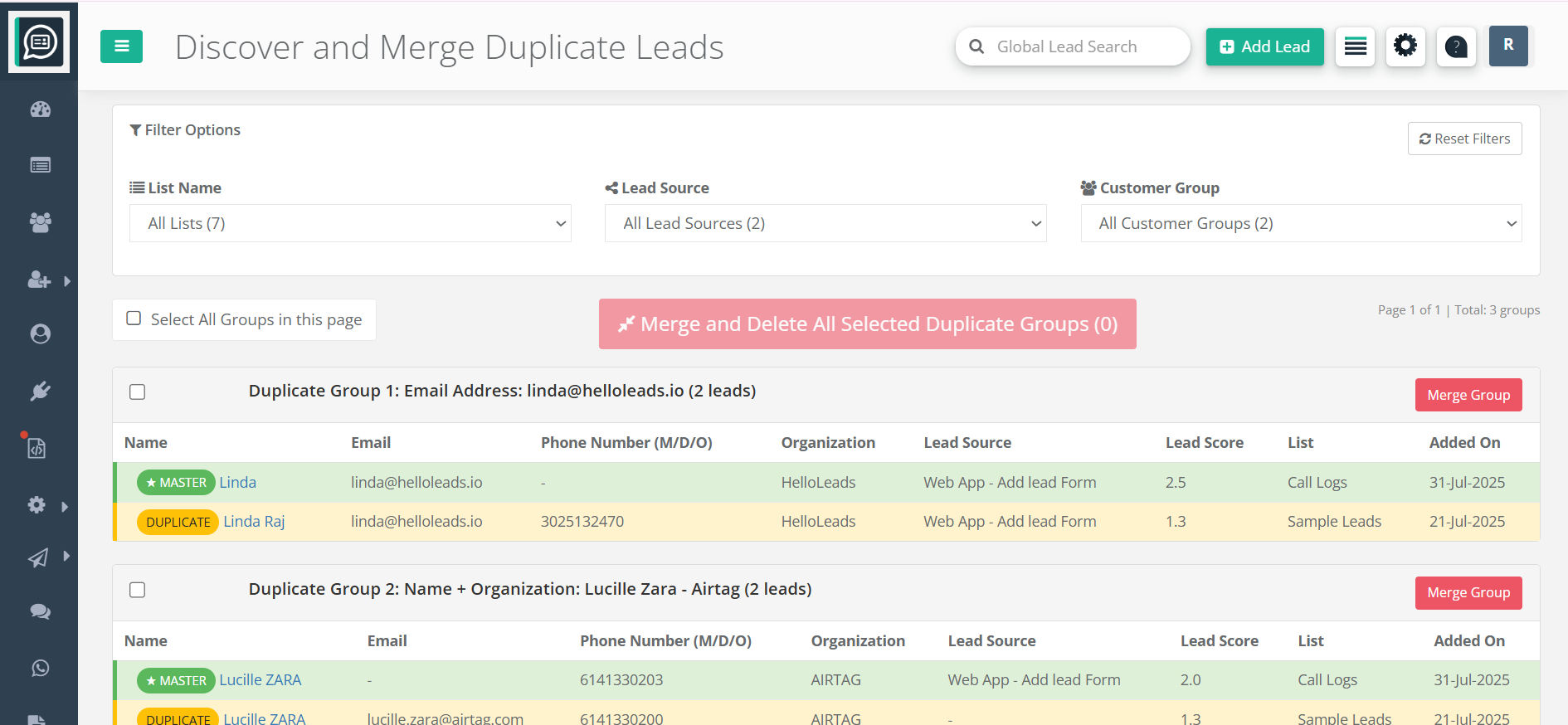
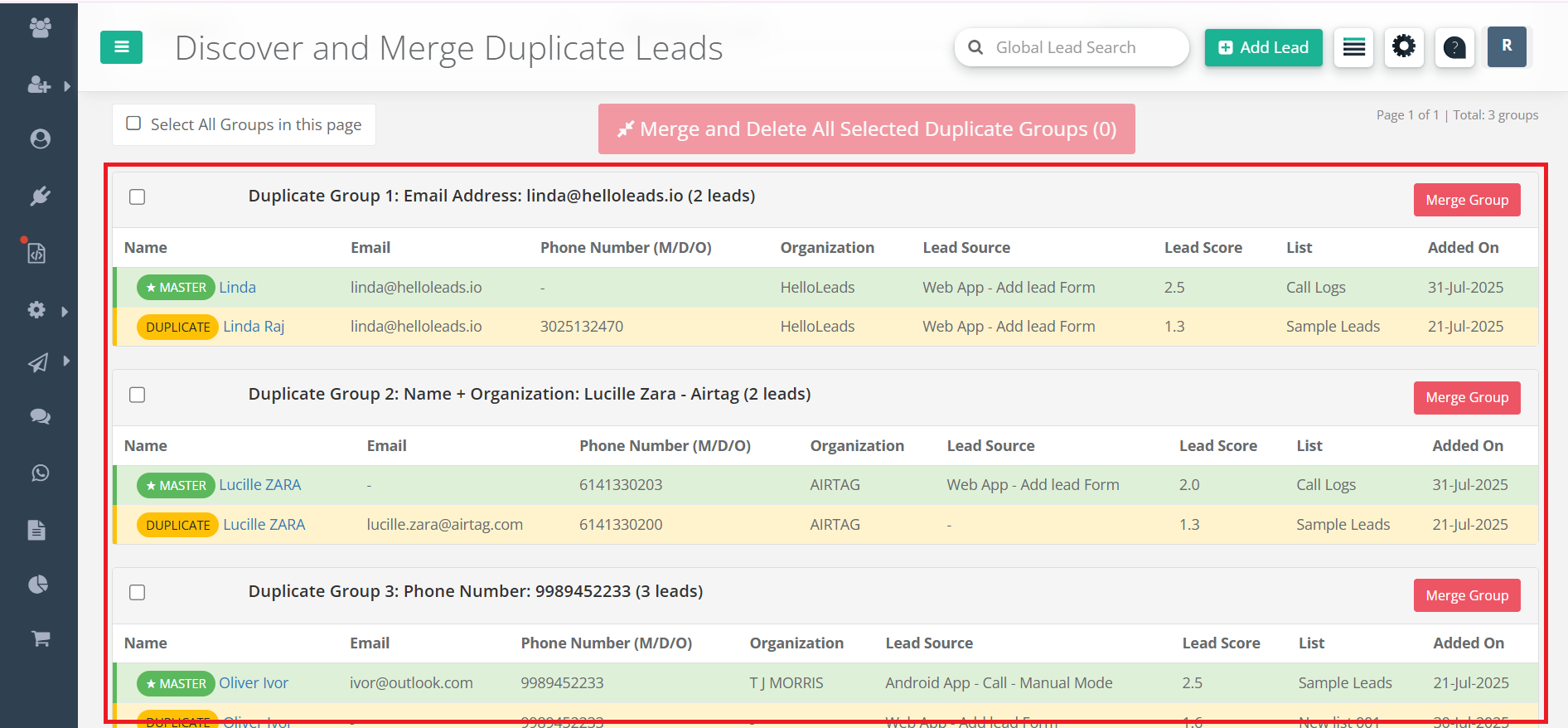
Step 2: Review the list of detected duplicate lead groups. Each group contains leads that share similar information (like email or phone number or Lead name+organization name combo)
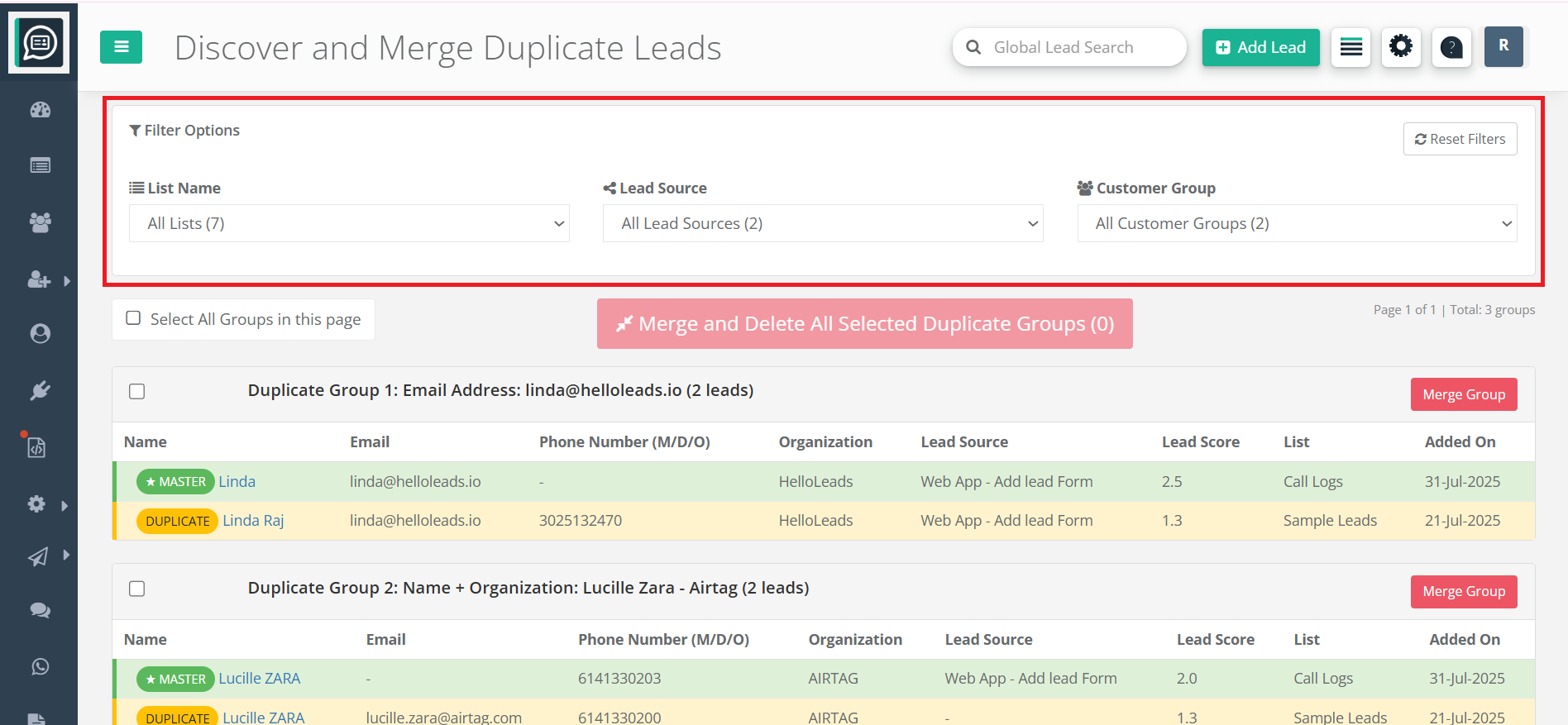
Step 3: Select one or more groups you wish to merge. You can use filters like, 'List Name', 'Lead Source' and 'Customer Group' to narrow down the list of lead records
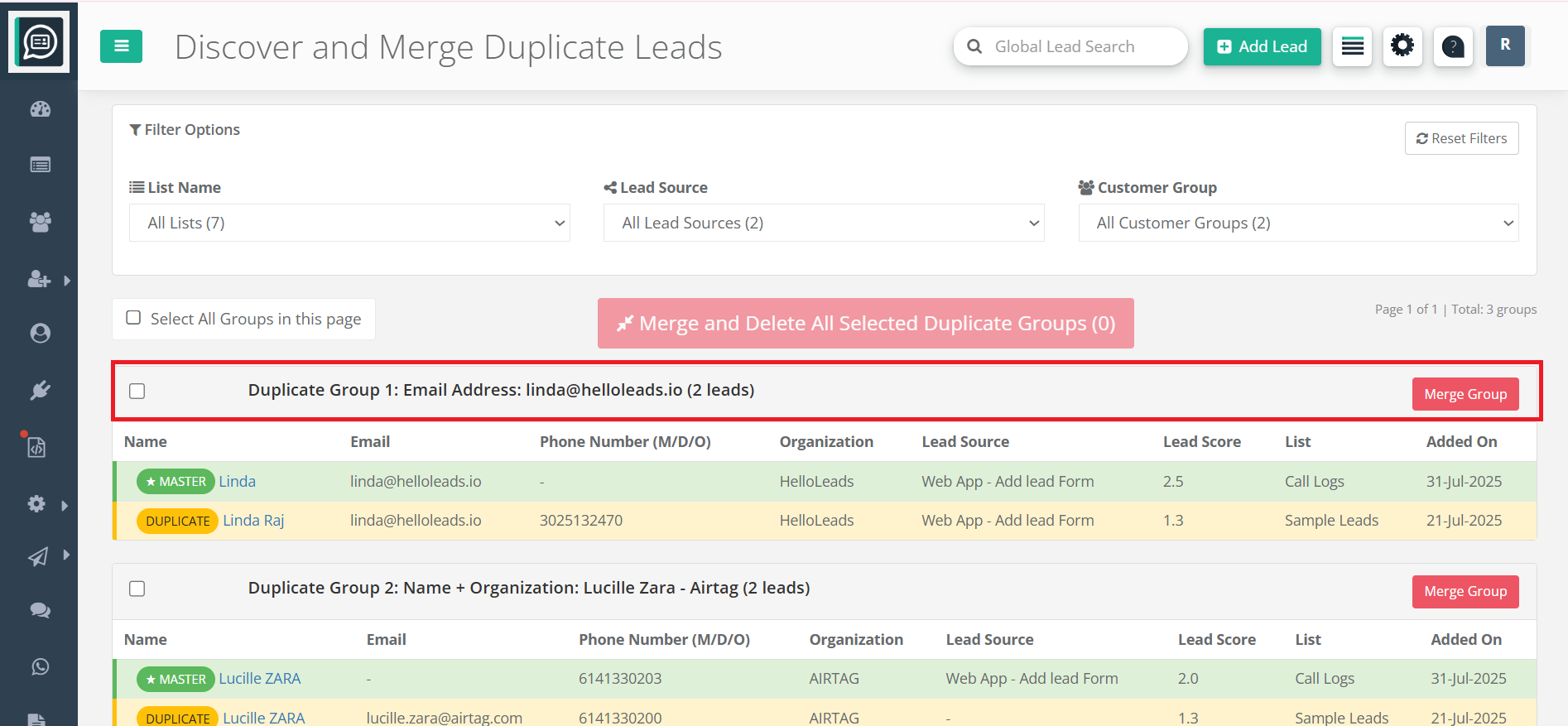
Step 4: Click on 'Merge Group' button on the right hand side of the duplicate group (for a single group)
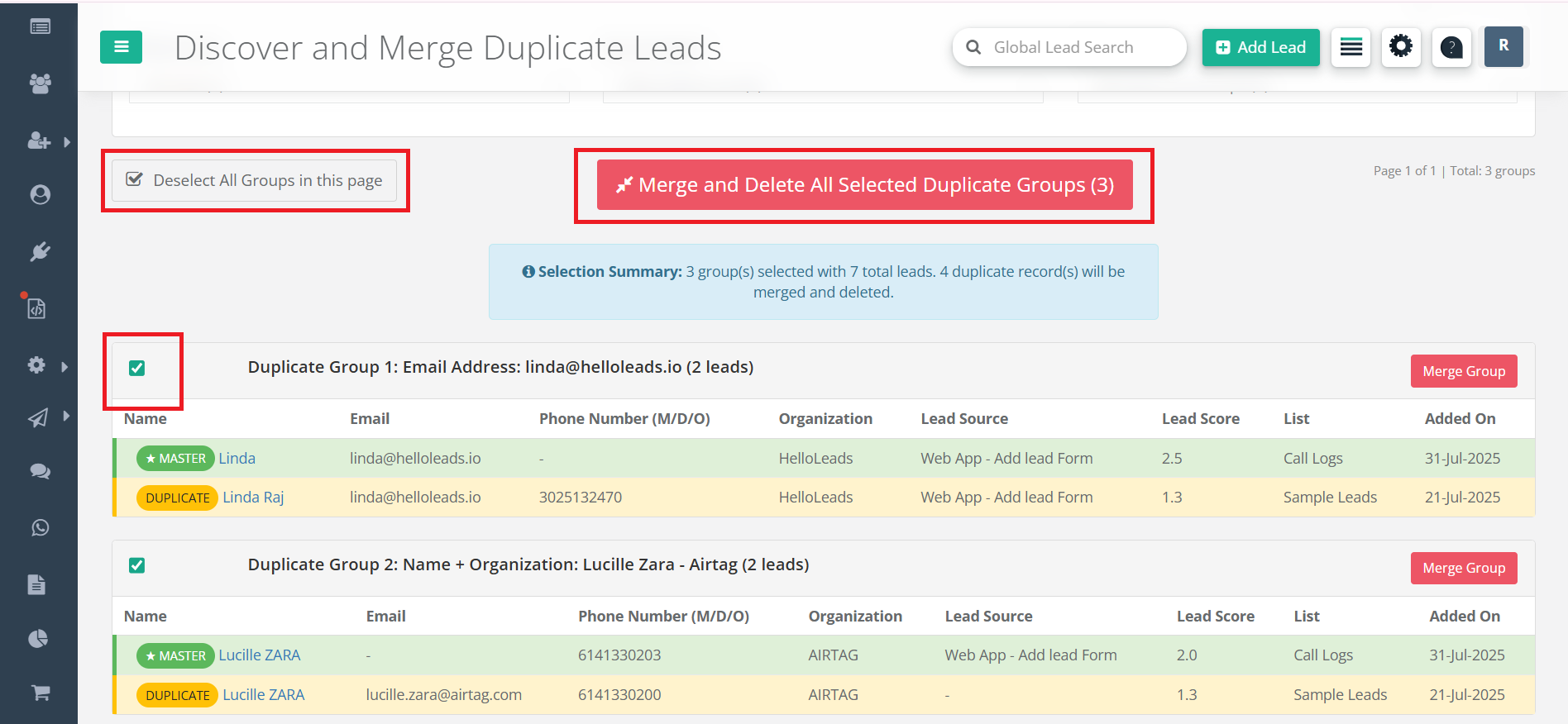
Step 5: Bulk Merge – Select individual duplicate groups or all groups on this page to merge
Step 6: Review the details in the confirmation popup. The system will:
- Keep the master record (usually the one with the highest lead score)
- Merge additional data from duplicates into the master record. The data which cannot be merged will be added as a log under the master record
- Delete the duplicate records after merging
- Add a system log entry for transparency
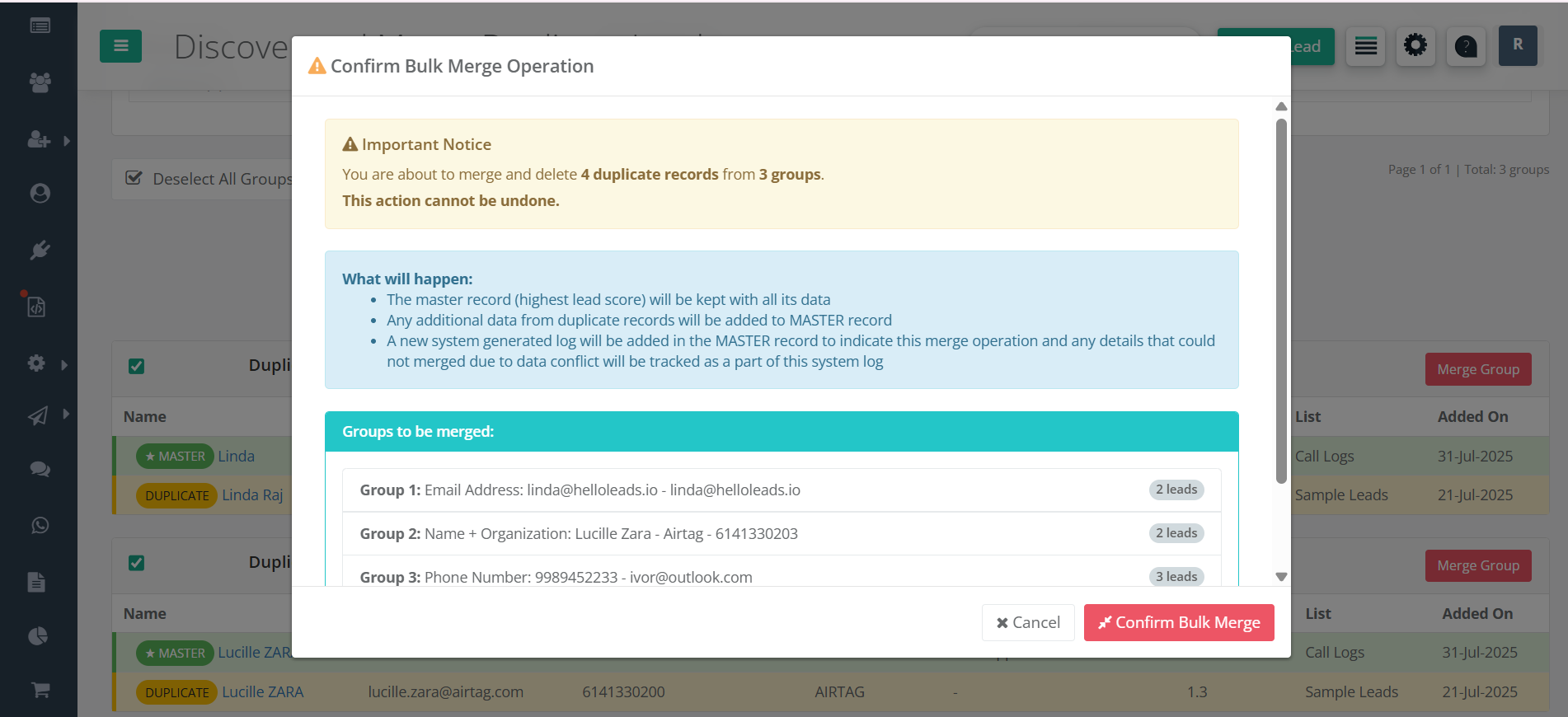
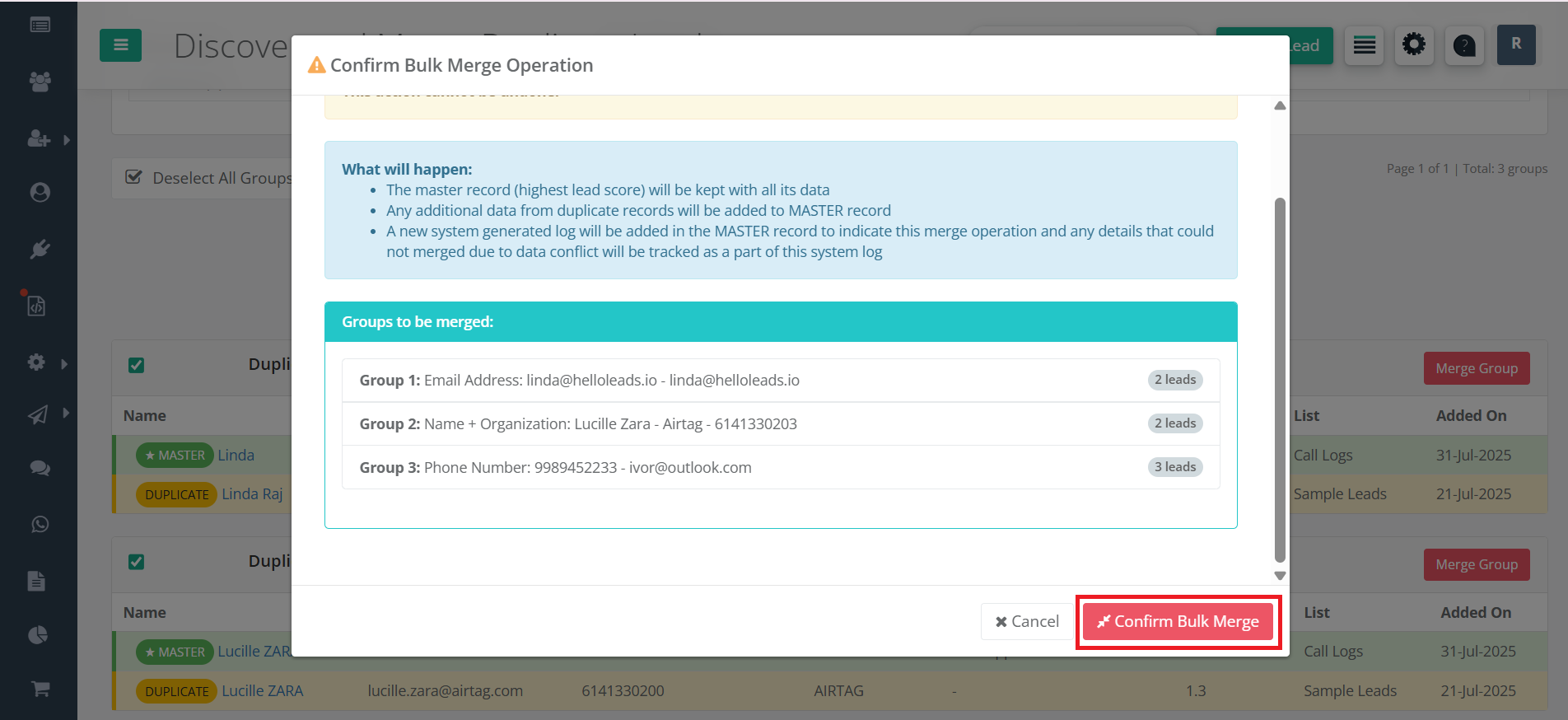
Step 7: Confirm the merge operation. The process will run and show you progress
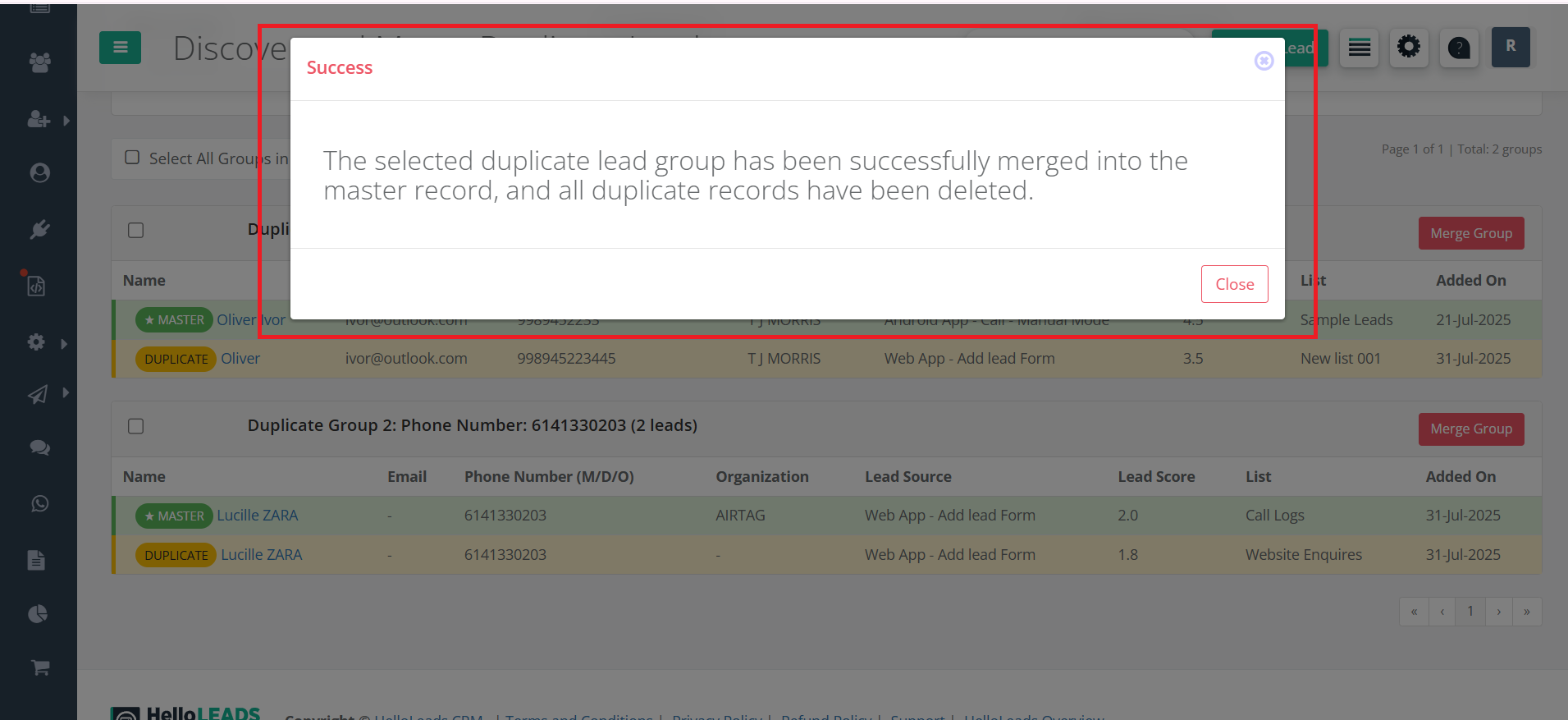
Step 8: Once completed, you’ll see a success message. Your lead list will be updated automatically
Notes & Best Practices
- Regularly review and merge duplicates to keep your CRM clean and efficient
- Use filters to quickly find and act on duplicate groups relevant to your campaigns or sources
- Bulk merge saves time when handling large numbers of duplicates
- All merge actions are logged for future reference and audit
- If you need help, reach out to HelloLeads CRM support for guidance