Import Leads from Excel/CSV
Import hundreds or thousands of leads from your Excel or CSV files directly into HelloLeads in just 3 simple steps. Save hours of manual data entry and get your leads organized instantly with our smart import wizard.
Supported File Formats
Supported File Formats
Excel: .xlsx, .xls files | CSV: .csv files | File Size Limit: Up to 10MB
-
1Log into your HelloLeads Web App
-
2Click on the main Menu (left side of the screen)
-
3Select Add Leads from the menu options
-
4Choose Import from Excel option
-
5You're now ready to start the import process!

🚀 Step-by-Step Import Process
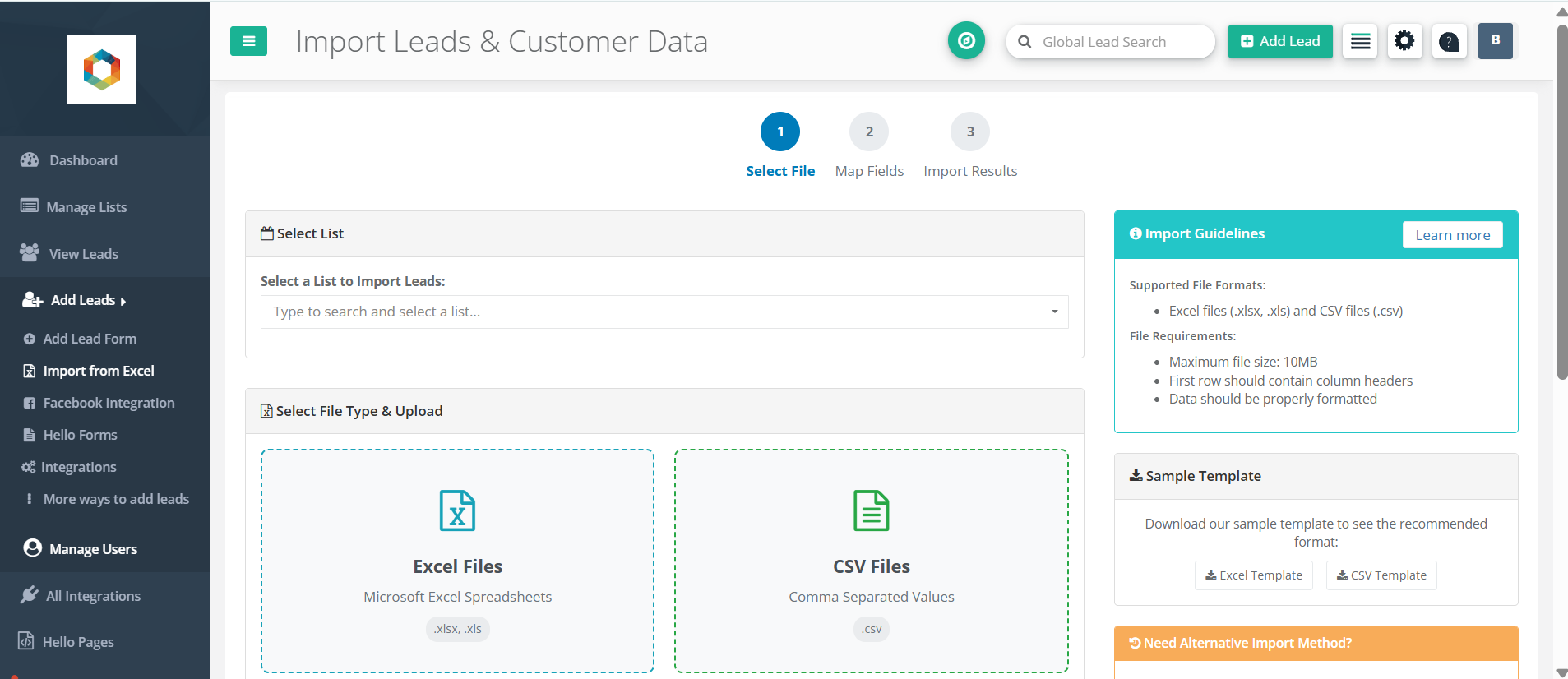
Upload Your File
- Select which list you want to import the leads into
- Choose your file type (CSV or Excel)

- Click the upload area or drag and drop your file
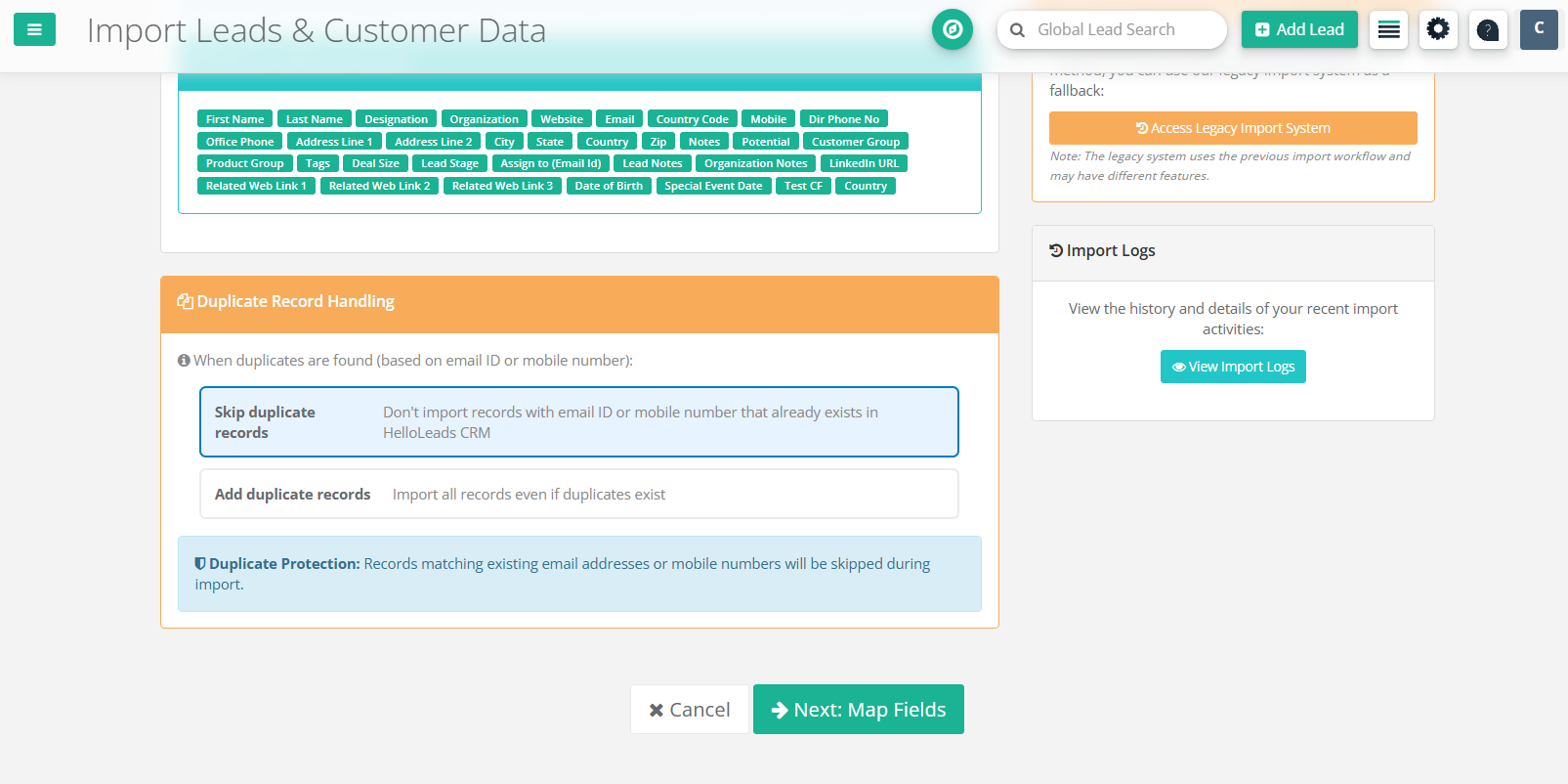
- Choose how to handle duplicate leads (skip or add duplicates)
- Click "Next: Map Fields" to continue
Map Your Columns
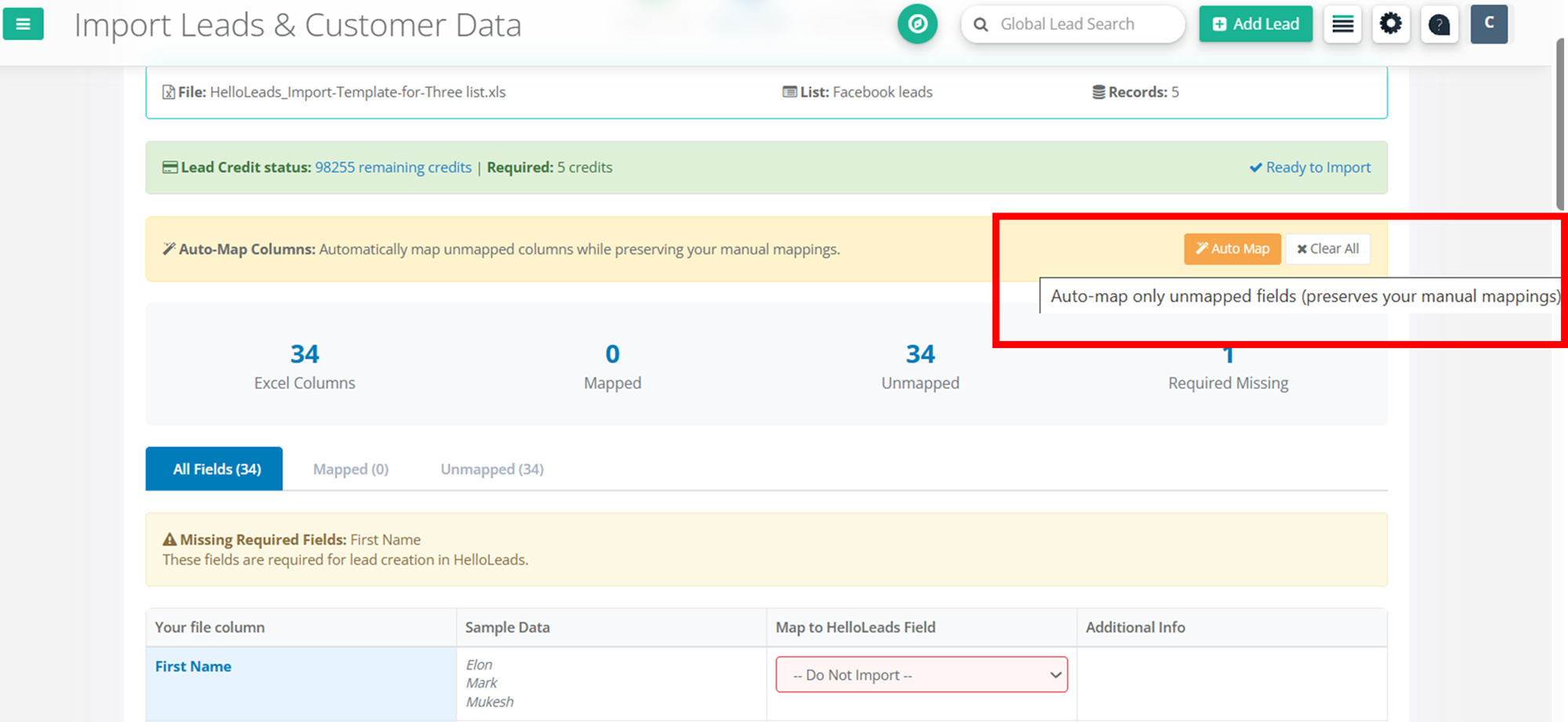
- Use Auto-Map to automatically map your File column against HelloLeads Field
- Manually adjust mappings via dropdown menus
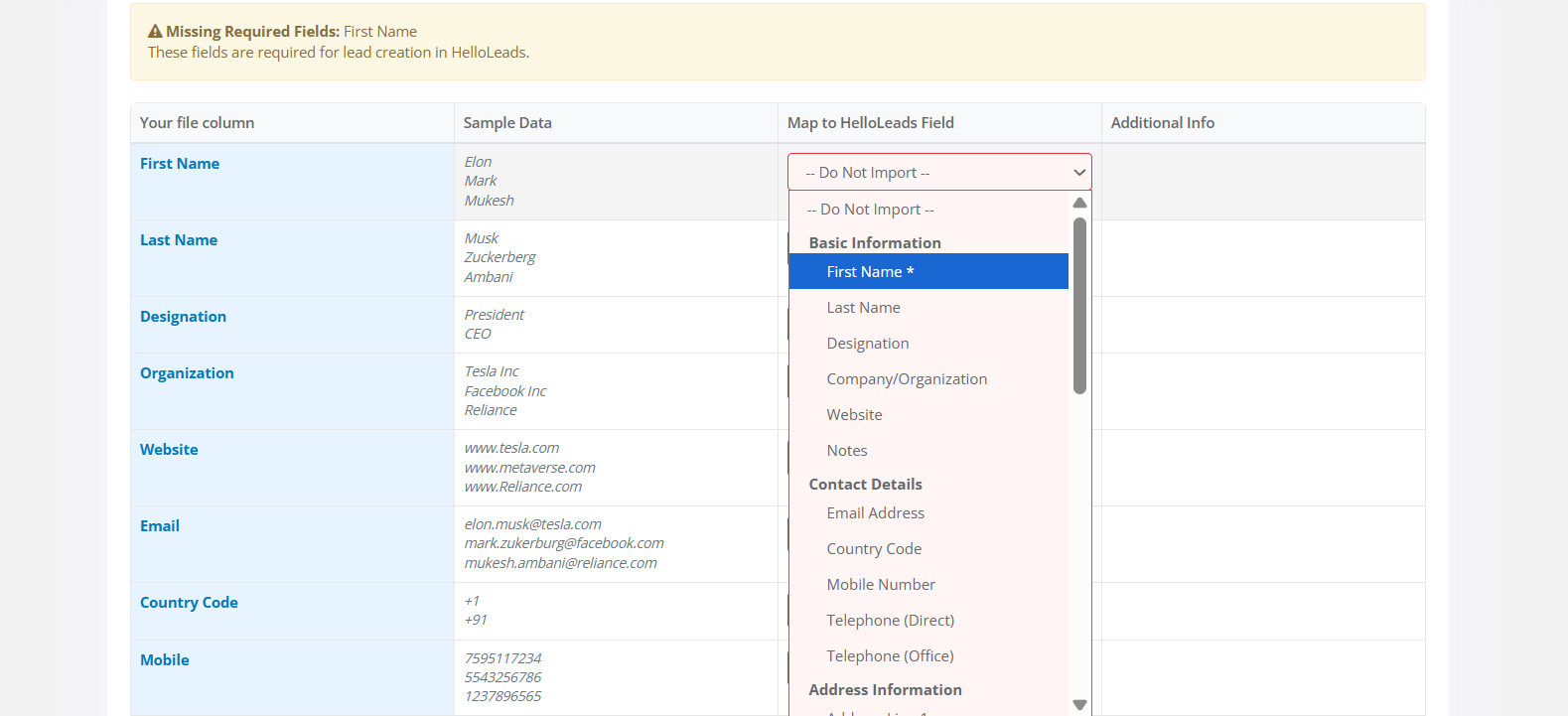
- Ensure all required fields are mapped
- Select date formats (Date of birth, Special event date and Custom Fields in date format)
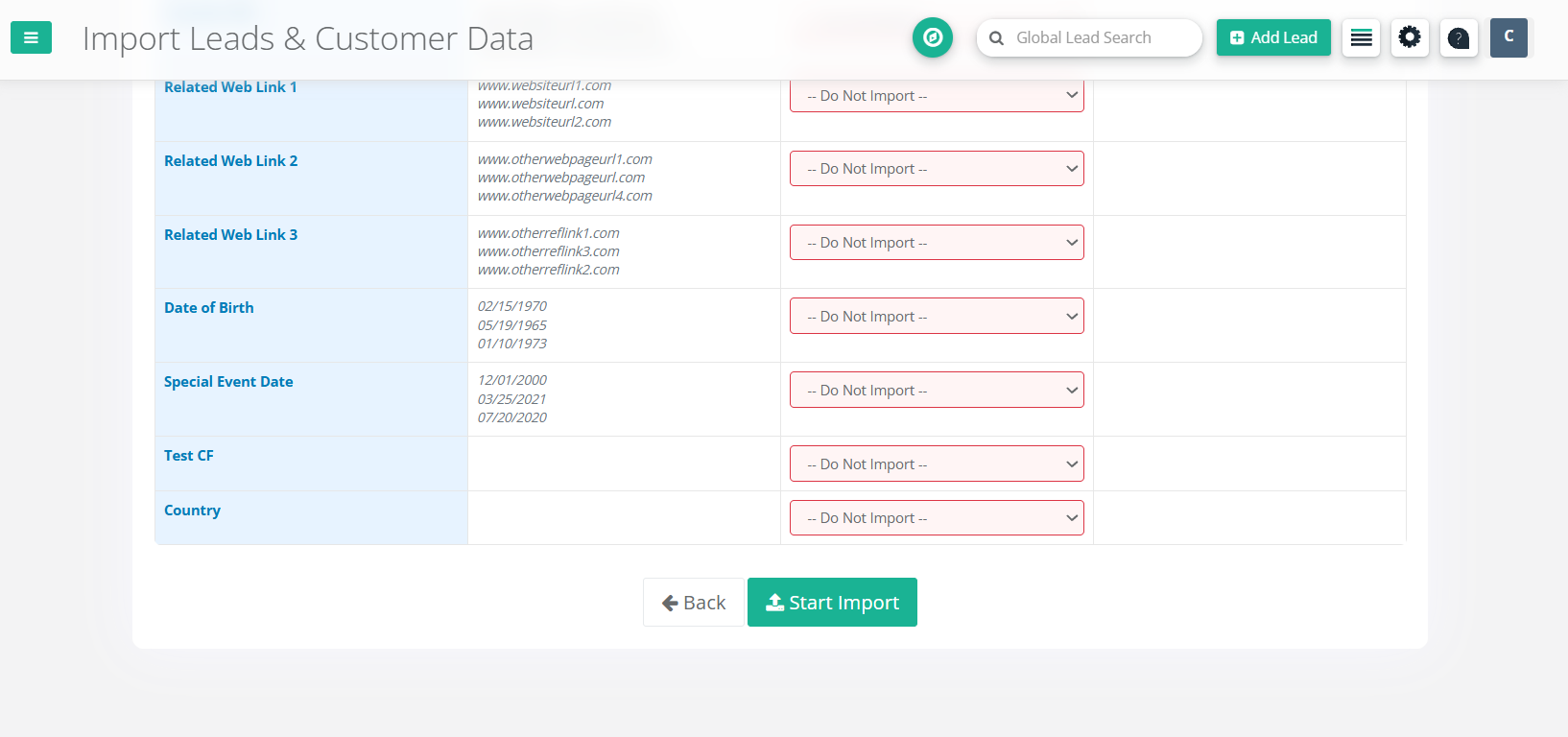
- Preview your data to verify mapping
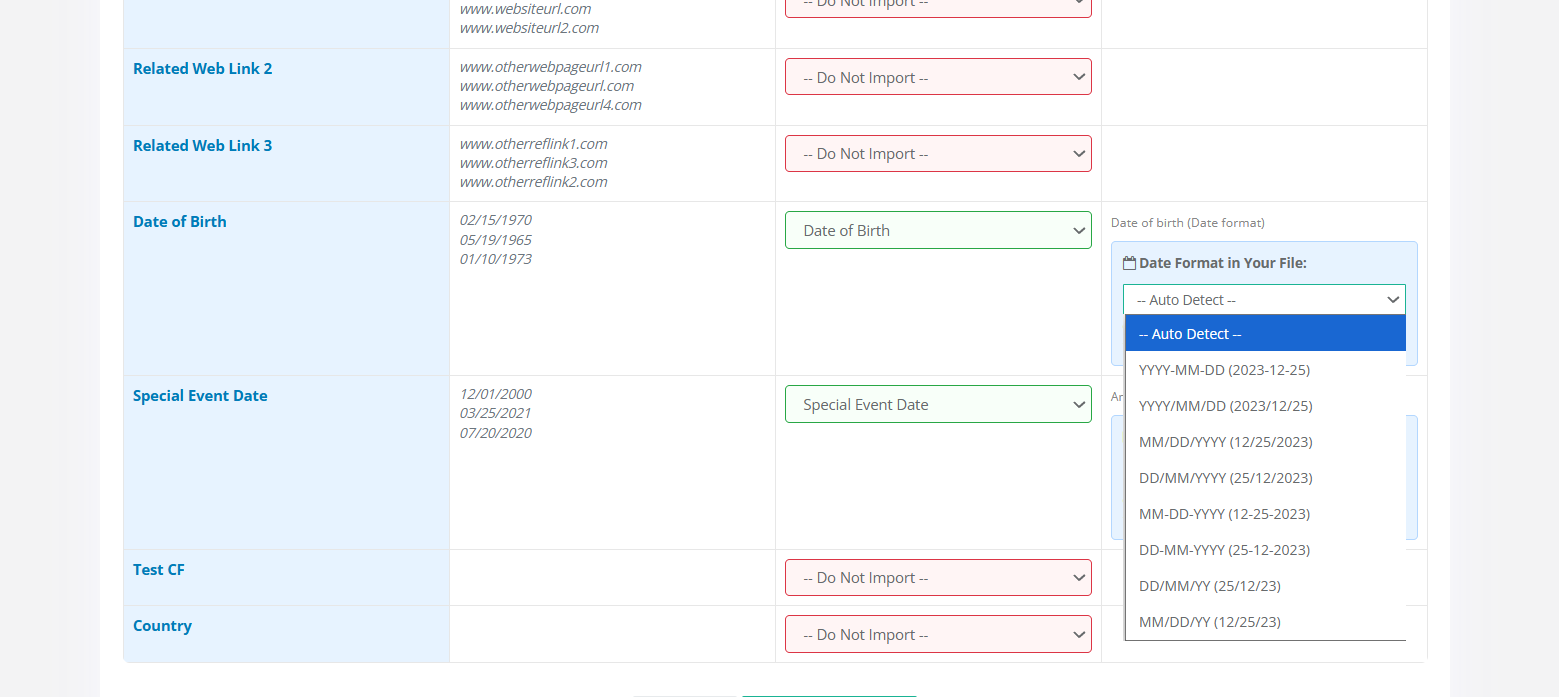
- Click "Start Import" when ready
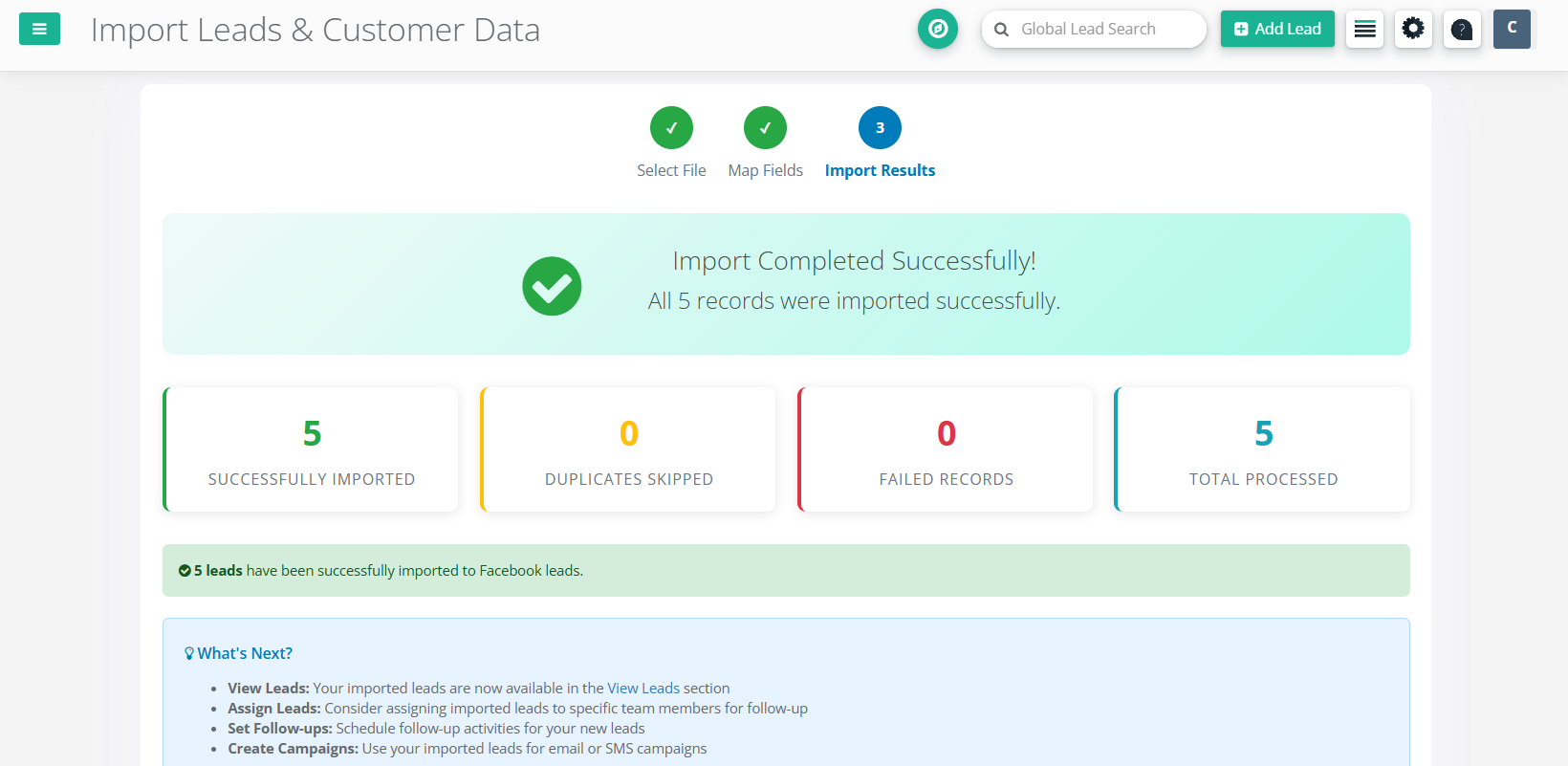
Review Results
- View Status: success, duplicate, failed records count
- Download error report (if any)
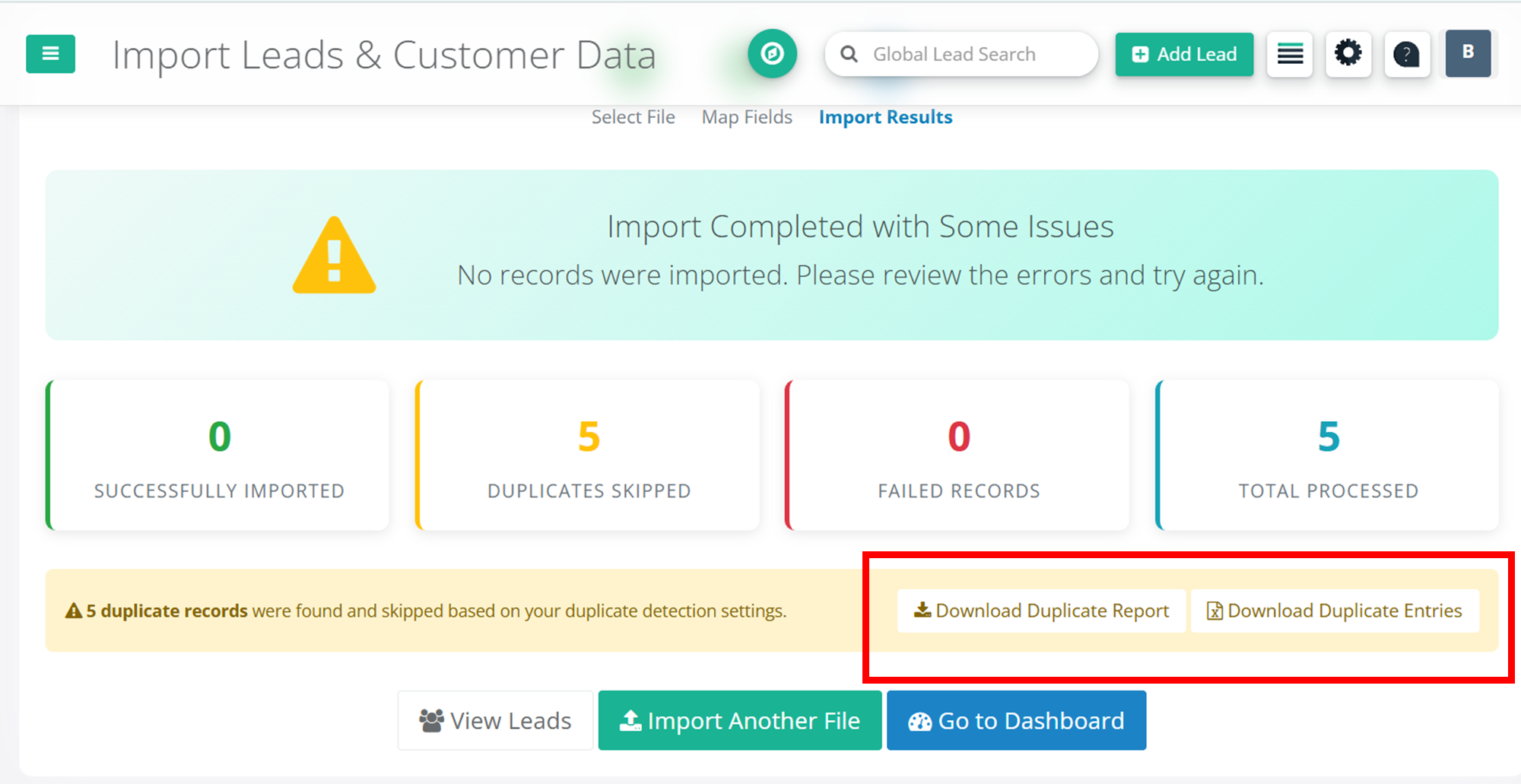
- Start another import or return to dashboard

✅ Best Practices & ❌ Avoid These
Best Practices (DOs)
- Keep column headers in the first row
- Use clear, descriptive column names
- Format dates consistently (DD/MM/YYYY or MM/DD/YYYY)
- Test with a small file first (10–20 records)
- Clean your data before importing (remove duplicates)
Avoid These (DON'Ts)
- Don't leave required fields (Name) empty
- Don't use merged cells or complex formatting
- Don't include special characters in column names
- Don't mix different date formats in the same column
- Don't exceed the 10MB file size limit
✨ Key Advantages
Points to Remember
File Size
Maximum 10MB per file. For larger files, split them into smaller chunks.
Required Fields
Each lead must have a name to be considered as valid.
Date Formats
Use consistent date formats like DD/MM/YYYY, MM/DD/YYYY, or YYYY-MM-DD.
Duplicates
System checks for duplicates using email and phone number.
Processing Time
Large files may take a few minutes. Avoid refreshing during import.
Error Recovery
Download error report, fix issues, and re-import failed records.